In modern Drupal development, services are the backbone of the system's modular architecture. Based on the Symfony Service Container, Drupal services allow you to perform specific tasks—such as logging, database interaction, or mail handling—by injecting these reusable objects wherever they are needed. However, with hundreds of services available in core and even more added by contributed modules, finding the exact service name you need can be a challenge.
Whether you are writing a custom module, debugging a dependency injection issue, or simply exploring what a site has to offer, knowing how to list and filter available services is an essential skill. In this guide, we will explore several methods to discover services using Drush, the Devel module, the command line, and even your IDE.
Why Services Matter in Drupal Development
Before diving into the commands, it is important to understand why you would need to list services. In Drupal, services are defined in *.services.yml files. They are managed by the Service Container, which handles their instantiation and lifecycle.
When you are building a custom controller, form, or service, you often need to identify the correct service ID to include in your __construct method or your YAML definitions. Using the methods below ensures you aren't guessing service names, which leads to fewer "ServiceNotFoundException" errors and a more efficient workflow.
Method 1: Listing Services with Drush
Drush is the most common tool for interacting with the Drupal service container. Depending on your setup and the modules you have installed, there are several ways to retrieve service IDs.
Using Drush Eval (No Modules Required)
If you are on a server without extra modules installed, you can use the eval command to interact directly with the Drupal kernel. This method is highly reliable across all versions of Drupal from 8 through 11.
drush eval "print_r(\Drupal::getContainer()->getServiceIds());"
Because this command returns a massive array of strings, it is best to pipe the output into grep to find exactly what you are looking for. For example, to find all services related to caching:
drush eval "print_r(\Drupal::getContainer()->getServiceIds());" | grep "cache"
Using the Devel Module with Drush
The Devel module provides a much cleaner interface for service discovery. Once Devel is enabled, you gain access to the devel:services command.
drush devel:services
You can use several aliases for this command to save time:
- drush dcs
- drush devel-container-services
- drush devel-services
In modern versions of Devel, you can even pass a search term directly to the command to filter the list without needing to use grep:
drush dcs cache
Method 2: Using the Devel UI for a Searchable List
If you prefer a graphical interface over the command line, the Devel module offers a dedicated administrative page. This is particularly useful if you want to see a comprehensive list and use your browser's search functionality to explore the container.
- Ensure the Devel module is enabled.
- Navigate to
/devel/container/serviceon your Drupal site. - Here, you will find a table listing all registered services, their classes, and often their tags.
This UI approach is excellent for developers who want to explore the structure of services and see which PHP classes are associated with specific service IDs.
Method 3: Discovery via Drupal Console
While its usage has declined in favor of Drush in recent years, Drupal Console provides a very robust debugging command that offers more metadata than the standard Drush list.
drupal debug:container
This command provides a formatted table that includes the service ID and the class name. Like Drush, you can filter the results by providing a keyword:
drupal debug:container cache
Method 4: Programmatic Discovery in PHP
Sometimes you need to list services dynamically within your own code—perhaps for a custom debug tool or a plugin discovery mechanism. You can access the container directly through the \Drupal static class.
Get All Service IDs
$services = \Drupal::getContainer()->getServiceIds();
Filtering Services Programmatically
If you need to find a specific subset of services in your code, you can use PHP's preg_grep to filter the array based on a regular expression:
$cache_services = preg_grep('/cache/', \Drupal::getContainer()->getServiceIds());
This is useful when you are building advanced functionality that needs to interact with multiple services that follow a specific naming convention.
Method 5: IDE Integration with PHPStorm
For the best developer experience, you should integrate service discovery directly into your IDE. If you use PHPStorm, the Symfony Support Plugin is an essential tool.
Once configured, this plugin provides autocomplete for service names directly inside your PHP code and YAML files.
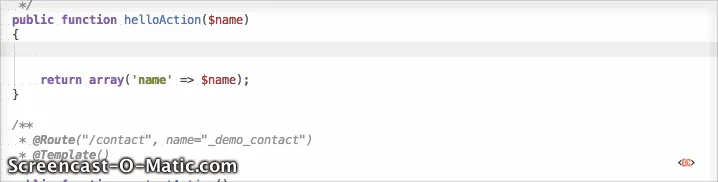
When you type $container->get(' or define a service argument in services.yml, the plugin will suggest available service IDs from your project's container. This eliminates the need to look up service names manually and prevents typos.
Method 6: Online Documentation
If you don't have access to a local environment and simply want to see the core services provided by Drupal, the official API documentation is your best resource.
Drupal.org maintains a list of core services for different versions (e.g., 9.x, 10.x, 11.x). You can find them at api.drupal.org/api/drupal/services. This is particularly helpful for understanding the intended use of core services and viewing their documentation blocks.
Frequently Asked Questions
How do I find the class associated with a service?
Using drush dcs (with Devel) or drupal debug:container will typically show you the class name. If you only have the ID from getServiceIds(), you can find the class by running drush eval "echo get_class(\Drupal::service('service_id'));".
Can I see the arguments a service requires?
Yes, the best way to see the arguments (dependencies) is to look at the *.services.yml file where the service is defined or use drupal debug:container [service_id] which provides a more detailed breakdown of the service definition.
Why is my custom service not showing up in the list?
If your service isn't appearing, ensure that you have cleared the Drupal cache (drush cr). Additionally, check your module_name.services.yml file for syntax errors, as a malformed YAML file will prevent the container from compiling correctly.
Wrapping Up
Mastering service discovery is a major step in moving from a beginner to an intermediate Drupal developer. By leveraging tools like Drush, the Devel module, and PHPStorm, you can significantly speed up your development process and write cleaner, more maintainable code.
Always remember to:
- Use drush dcs for quick lookups.
- Use the Devel UI for deep exploration of service classes.
- Use the Symfony Plugin in PHPStorm to keep your workflow inside the IDE.
As Drupal continues to evolve, the number of services will only grow. Keeping these commands in your toolkit ensures you can always find the right tool for the job.